TEXT TO TATTOO
Turn your tattoo idea into a visual concept.
Totatt AI is an online AI tattoo generator. Describe your idea, choose a style, body placement, and canvas ratio, then generate a tattoo concept to explore and refine.
Permanently free, unlimited trialStart on the homepage without signing in. Explore tattoo ideas with a permanently free, unlimited trial.
The creation workspace requires sign-in.
What is a text-to-tattoo generator?
A text-to-tattoo generator turns a written idea into a tattoo design image. Totatt AI combines your description with a selected visual style and composition settings. Use it to explore a subject, compare directions, and prepare a visual reference for a conversation with your tattoo artist.
At a glance
- Input
- A written tattoo idea
- Controls
- Tattoo style, body placement, and canvas ratio
- Output
- An AI-generated tattoo concept image
- Free access
- Permanently free, unlimited homepage trial; no sign-in
- Languages
- English and Chinese
How to generate a tattoo from text
Describe the main idea
Open the homepage generator and write the subject you want, such as a flower, animal, figure, or ornamental pattern. Add the mood, line detail, or shading that matters to you.
Choose a tattoo style
Select a style such as black and grey, black ink, classic, bold line, realism, minimal, or Japanese traditional. Keep your written description consistent with the selected style.
Set placement and canvas ratio
Choose the intended body area and a canvas ratio that suits the composition. A tall layout can help explore a forearm concept; a square layout can suit a compact motif.
Generate and refine
Generate a concept, review its silhouette and detail, then adjust the prompt or settings to explore another direction. Bring the concept to your tattoo artist to discuss scale, linework, and placement.
Write a clear tattoo prompt
Start with one main subject. Add a few deliberate details instead of combining unrelated ideas.
Prompt structure
Subject + style + composition + detail + background
Example prompt
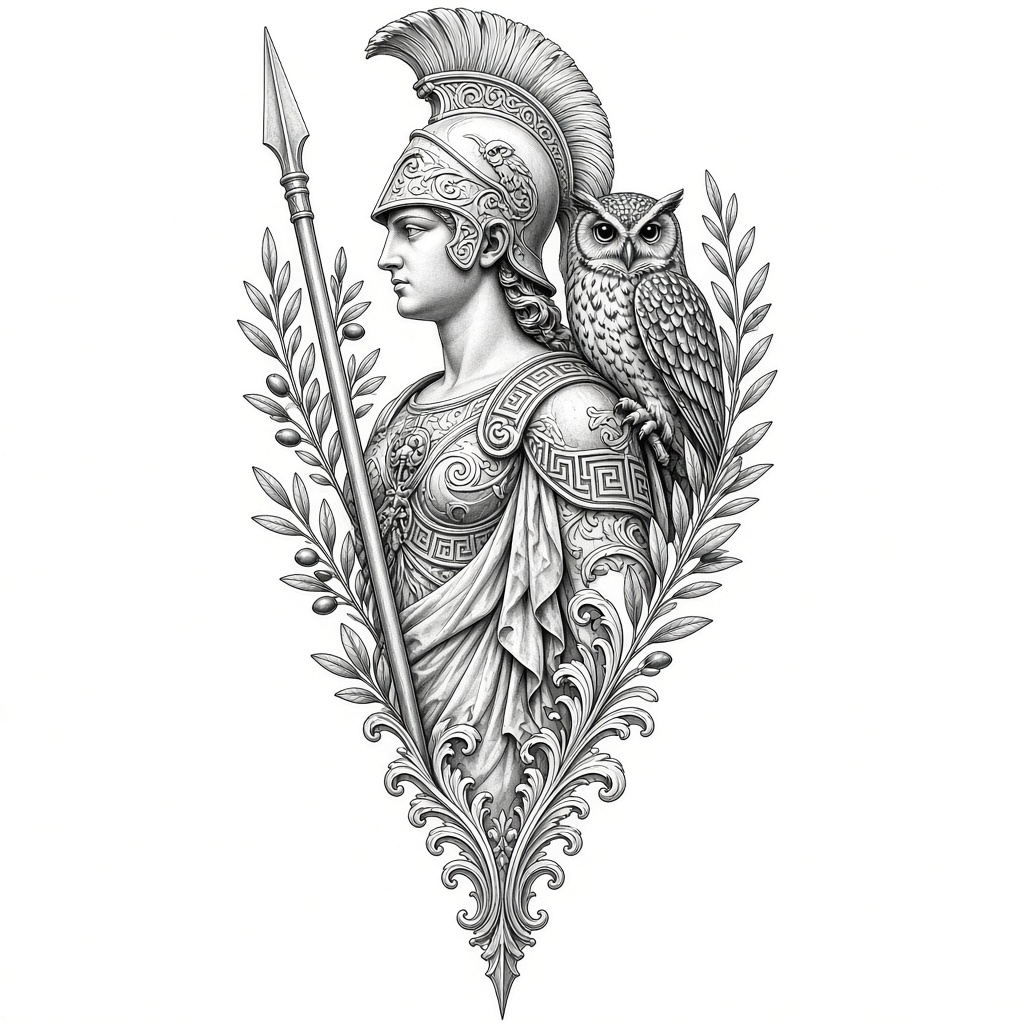
Athena with an owl and olive branches, black and grey tattoo concept, vertical forearm composition, fine line detail, soft shading, white background.
This is a writing example, not a promise of an identical generated image.
- Name the main subject before adding decoration.
- Describe whether you want fine lines, bold outlines, dense black areas, or soft shading.
- Mention vertical, compact, symmetrical, or flowing composition when it helps explain your idea.
- Change one part of the prompt at a time so you can compare the results.
Styles you can explore
The text-to-tattoo controls include these style directions. Choose one and refine the subject and composition in your prompt.
- Black Gray
- Black Ink
- Classic
- Bold Line
- Realism
- Minimal
- Japanese Traditional
Continue your tattoo workflow
The creation workspace also includes tools for developing an existing image into a tattoo design or preparing line art.
The creation workspace requires sign-in.
Frequently asked questions
- Is Totatt AI free to try without signing in?
- Yes. The homepage text-to-tattoo generator offers a permanently free, unlimited trial without signing in. The separate creation workspace requires sign-in.
- How do I create a tattoo from a text description?
- Open the homepage generator, describe your idea, choose a tattoo style, select a body placement and canvas ratio, and generate a concept. Refine the prompt and settings to explore more directions.
- Which tattoo styles can I choose?
- The text-to-tattoo style choices include black and grey, black ink, classic, bold line, realism, minimal, and Japanese traditional.
- Can I choose where the tattoo will go?
- Yes. You can select a body placement and canvas ratio to guide the composition. These settings help explore a layout; they do not measure your body or establish the final physical tattoo size.
- Can I use a photo instead of a text prompt?
- Yes. Image to Tattoo is a separate tool in the creation workspace. Use the text-to-tattoo generator for written ideas and Image to Tattoo when you want to start with a reference image.
- Is the generated image a finished tattoo stencil?
- The text generator produces a tattoo concept image. For line art, use the separate Stencil Maker. A tattoo artist can refine the concept for the intended scale, linework, and body placement.
- Does Totatt AI support English and Chinese?
- Yes. The website and this guide are available in English and Chinese. The language links on this page open the corresponding version.
Start with an idea. Explore a direction.
Try the homepage generator without signing in, with a permanently free, unlimited trial.
Try it free — no sign-in